Performance Settings (page 1)
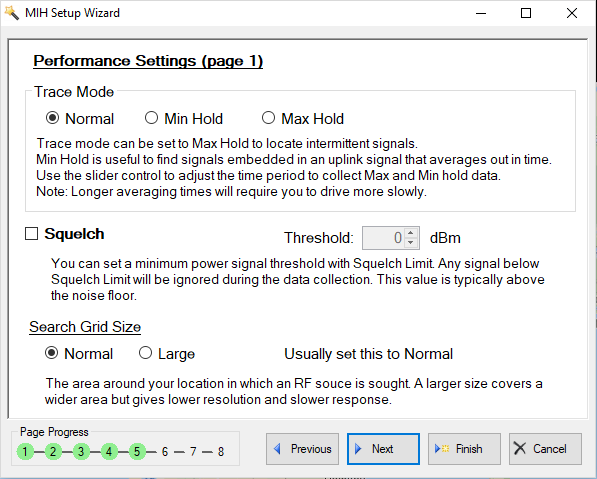
The MIH View Performance Settings (page 1) menu is shown in
Figure: Performance Setting (page 1)To set the MIH View Preference Settings (page 1):
• Click Trace Mode as Normal, Min Hold, or Max Hold
• Check Squelch to set a minimum power signal threshold.
• Click Search Grid Size as Normal of Large to search the area around your location in which an RF source is sought.